



MCPMate
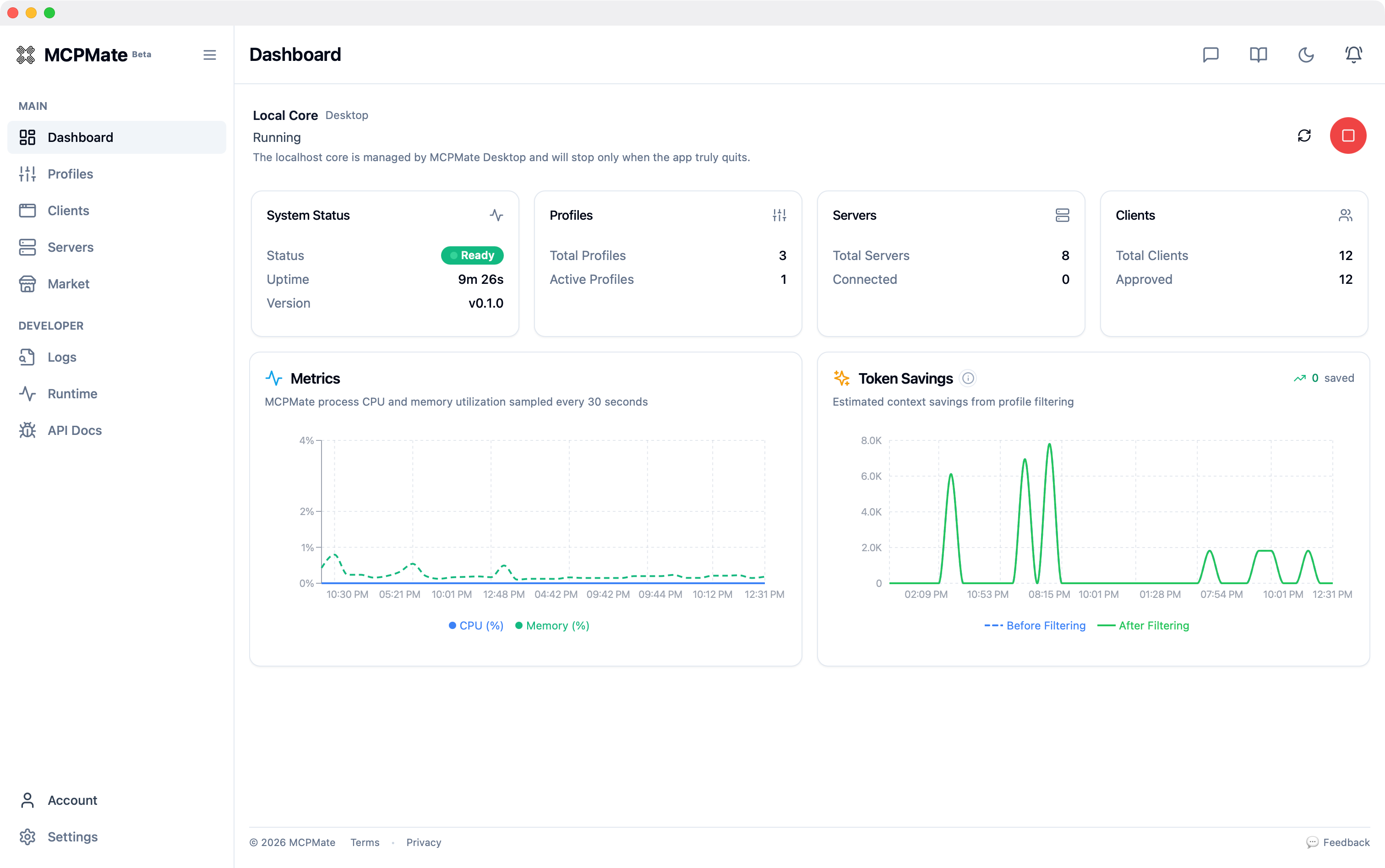
MCPMate is an open-source local control plane that organizes servers, profiles, client connections, and runtime dependencies so you spend less time editing config files.
Puan
60
Kullanıcı Değerlendirmesi
3.0
Ücretsiz/Deneme Desteği
Desteklenir
Başlangıç Fiyatı
--
Son Güncelleme
Ağu 04, 2026
Genel Bakış
MCPMate nedir?
MCPMate is a local-first MCP control plane designed for developers who manage multiple MCP-compatible AI clients. It provides a unified dashboard to control servers, profiles, client connections, and runtime dependencies. Key capabilities include profile-based capability control, flexible client rollout modes (Hosted, Unify, Transparent), import preview with validation, and live inspection through the Inspector tool. Built with Rust for performance, it keeps routing, visibility, and inspection
MCPMate ne için kullanılır?
Kullanıcı Grupları
Üst Özellikler
- - Centralized Configuration - Manage servers, profiles, and clients from one place
- - Market Install Flow - Browse registry entries, import with preview
- - Seamless Context Switching - Switch shared profiles or task presets
- - Auto Discovery & Import - Detect existing client configs automatically
- - Uni-Import - Normalize and validate snippets from web, JSON, TOML
- - Granular Controls - Enable/disable servers and capabilities per profile
- - Inspector - Compare proxy and native behavior, run live calls
- - Resource Optimization - Expose only needed tools and prompts
- - Protocol Bridging - Connect stdio clients to Streamable HTTP services
- - Profile-based Capability Control - Package working modes as shared profiles
- - Multiple Client Modes - Hosted, Unify, and Transparent modes
- - Local-first Architecture - Rust core with local API and MUnified control plane for multiple MCP clients (Claude Code, Cursor, VS Code)
- - Profile-based capability switching without editing config files
- - Local-first architecture with Rust core for performance and privacy
- - Flexible deployment modes: Hosted, Unify, and Transparent
- - Built-in Inspector for testing and debugging MCP tool calls
- - Auto-discovery and import of existing client configurations
- - Market integration for browsing and installing MCP servers with preview
- - Granular control over which tools and prompts each client sees
- - Open source under AGPL-3.0 license
- - Multi-language support (English, Simplified Chinese, Japanese)CP endpoint
MCPMate nasıl kullanılır?
1. Download the official installer from GitHub Releases (github.com/loocor/mcpmate) for your platform (macOS arm64/x64 most stable; Windows/Linux available but under active improvement) 2. Install and launch MCPMate desktop app or run the local core service 3. Use Import from Client on the Clients page to pull existing MCP configs from detected clients (Claude Code, Cursor, VS Code, etc.) 4. Create or customize profiles to define which servers, tools, and prompts each client sees
Alternatif Araçlar
Alternatif araç bulunamadı
Artılar & Eksiler
Artılar
- - Unified control for multiple MCP clients
- - Profile-based capability switching
- - Local-first Rust architecture
- - Flexible deployment modes
- - Built-in Inspector for debugging
- - Auto-discovery of client configs
- - Market integration with preview
- - Granular tool/prompt control
- - AGPL-3.0 open source license
- - Multi-language support (EN/ZH/JP)
Eksiler
- - Windows/Linux installers under active improvement
- - Some servers require external runtimes
- - Learning curve for MCP beginners
- - Requires local core service execution
Kullanım Durumları
- - Developers managing multiple MCP-compatible AI clients (Claude Code, Cursor, VS Code) who need unified control
- - Teams wanting consistent MCP configurations across different clients and team members
- - Users who frequently switch between different MCP tool sets based on task context
- - Developers who want to inspect and debug MCP tool calls before deployment
- - Users migrating from manual config file editing to a managed control plane
- - Teams needing to roll out MCP configurations gradually with different modes per client
- - Users who want to browse and install MCP servers from the official registry with preview
MCPMate Fiyatlandırması
Ücretsiz Plan
Free
$0/ayMCPMate is open source and free under AGPL-3.0 license.
- - Full access to all features
- - Open source AGPL-3.0 license
- - Local-first Rust architecture
- - Multi-client support
- - Profile-based control
- - Built-in Inspector
- - Market integration
- - Community support via GitHub
Kullanıcı Değerlendirmeleri
3.0
5 üzerinden
3.0
Henüz değerlendirme yok
Bu aracı değerlendiren ilk kişi ol!