


Recally
Screenshot management app for macOS
User Rating
3.0
Score
60
Free/Trial Support
Supported
Features
5 Features
Last Updated
Feb 05, 2026
What is Recally?
Recally is a macOS application designed to effortlessly manage screenshots. It offers features such as real-time OCR, AI search, secure offline operation, and encrypted data storage. Recally helps users organize, browse, and search their screenshots with ease, streamlining their workflow.
How to use Recally?
Take screenshots with Command + Shift + S, then use Recally to organize, browse, and search them effortlessly on macOS. The app operates offline, ensuring data privacy and security.
Top Features
- Real-time OCR
- AI-driven visual search
- Complete data encryption
- Totally offline operation
- Image segmentation
- URL linking via AppleScript automation
Pros & Cons
No Data
Use Cases
- Organizing and searching screenshots for research
- Quickly extracting text from screenshots using OCR
- Linking URLs to screenshots for context
- Securely storing sensitive information contained in screenshots
User Groups
No Data
Recally Pricing
Free PlanSubscription Plan
No detailed pricing information available


Cover Preview
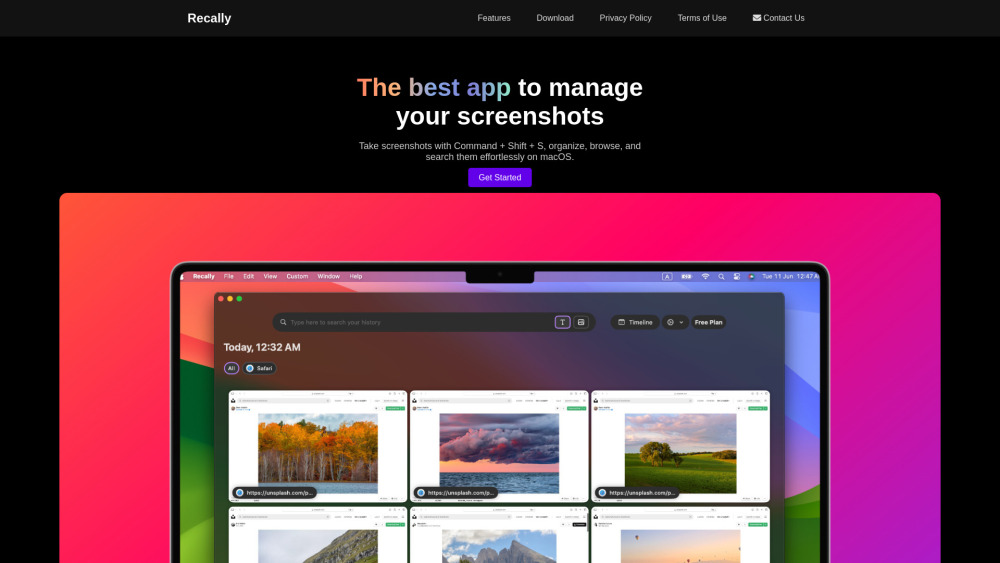
RECALLY Features
- AI Image Recognition functionalityAI Image Recognition
- AI Image Segmentation functionalityAI Image Segmentation
- AI Search Engine functionalityAI Search Engine
- AI Productivity Tools functionalityAI Productivity Tools
- AI OCR functionalityAI OCR