



Kontext AI
Free AI tool for context-aware image generation and editing.
Score
60
User Rating
3.0
Free/Trial Support
Not Supported
Starting Price
--
Last Updated
Sep 08, 2026
Overview
What is Kontext AI?
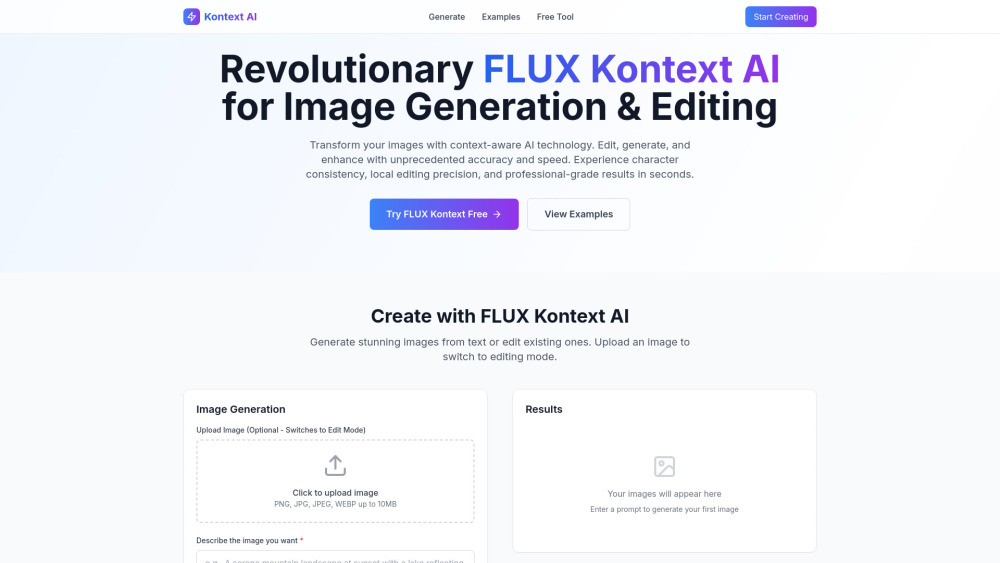
Kontext AI, powered by FLUX Kontext technology, is an advanced and free AI tool for image generation and editing. It leverages context-aware AI to create, modify, and enhance images with unprecedented accuracy and speed. The platform offers state-of-the-art text-to-image generation, delivering photorealistic results with superior prompt adherence and advanced typography. Additionally, its groundbreaking in-context image editing capability allows users to modify existing images using simple text instructions, eliminating the need for complex editing software. Kontext AI supports iterative editing workflows, ensuring character consistency and quality throughout the creative process, and is built on advanced generative flow matching for high performance.
What is Kontext AI used for?
Tags
Top Features
- Context-aware AI image generation
- In-context image editing with text instructions
- Photorealistic text-to-image generation
- Iterative editing workflow
- Character consistency across edits
- Local editing precision
- 8x faster processing speed
- Advanced typography generation
How to use Kontext AI?
To use Kontext AI, users can either generate new images from text or edit existing ones. For image generation, describe the desired image in detail, select an AI model (FLUX Kontext Pro or Max), and choose an aspect ratio before clicking 'Generate Image'. To edit an image, upload it (PNG, JPG, JPEG, WEBP up to 10MB) to switch to editing mode, then use simple text instructions to modify it. The platform allows for iterative edits to refine results.
Alternative Tools
No alternative tools found
Pros & Cons
No Data
Use Cases
- Generate stunning images from text descriptions for various purposes.
- Modify existing images with simple text commands for quick edits.
- Enhance images with context-aware technology for professional results.
- Create consistent characters across multiple image edits.
- Build complex visual concepts step-by-step through iterative editing.
User Reviews
3.0
out of 5
3.0
No reviews yet
Be the first to review this tool!