



Instyll - Supercharged markdown notes
Streamline your markdown note-taking and boost productivity.
Score
60
User Rating
3.0
Free/Trial Support
Supported
Starting Price
--
Last Updated
Sep 02, 2026
Overview
What is Instyll - Supercharged markdown notes?
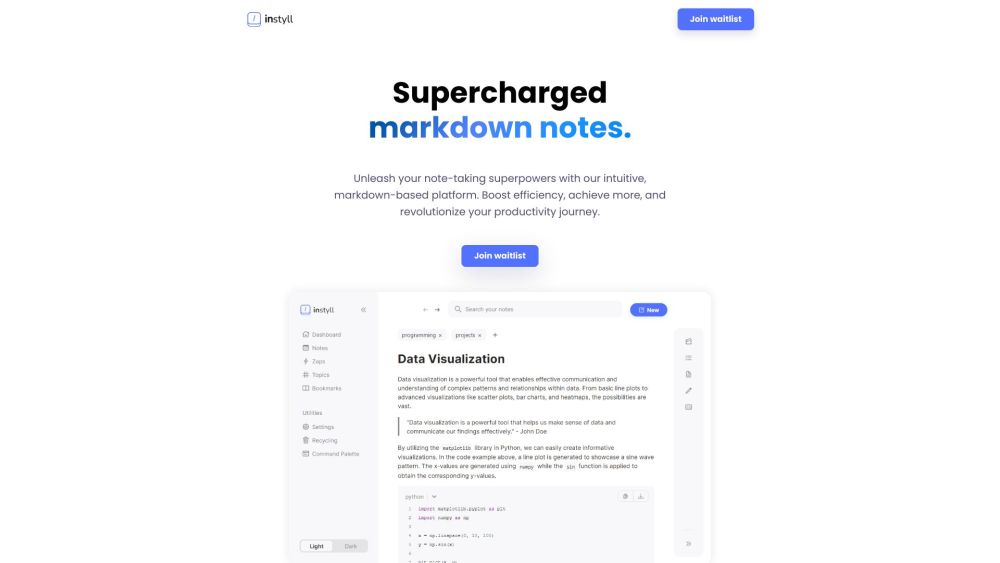
Instyll is a note-taking application designed for markdown users. It focuses on streamlining time-consuming processes, allowing users to concentrate on their markdown notes. Instyll aims to supercharge markdown notes, elevate note-taking productivity, and streamline workflow with features like code autocomplete, LaTeX autocomplete, slash menu, AI assistant, zaps, mermaid diagrams, instant tables, and command palette.
What is Instyll - Supercharged markdown notes used for?
Tags
Top Features
- Code Autocomplete
- LaTeX Autocomplete
- Slash Menu
- Instyll AI assistant
- Zaps for rapid note-taking
- Mermaid Diagrams
- Instant Tables
- Command Palette
- Topics for organization
- Split Screen
How to use Instyll - Supercharged markdown notes?
Use Instyll to create and manage markdown notes. Utilize features like code autocomplete, LaTeX autocomplete, slash menu, AI assistant, zaps, mermaid diagrams, instant tables, and command palette to enhance your note-taking experience. Access the command palette with CTRL+K.
Alternative Tools
No alternative tools found
Pros & Cons
No Data
Use Cases
- Taking and organizing markdown notes efficiently
- Writing code snippets and equations within notes
- Creating diagrams and tables quickly
- Using AI to explain concepts and get tips
- Streamlining workflow with custom zaps
- Managing resources alongside notes with split screen
Instyll - Supercharged markdown notes Pricing
Free PlanSubscription Plan
No detailed pricing information available
User Reviews
3.0
out of 5
3.0
No reviews yet
Be the first to review this tool!