



arlionn/software: zoomit 4.5
ZoomIt 4.5 is a lightweight screen zoom and annotation tool for teaching and presentations, requiring no installation and using keyboard shortcuts.
Score
60
User Rating
3.0
Free/Trial Support
Not Supported
Starting Price
--
Last Updated
Apr 23, 2026
Overview
What is arlionn/software: zoomit 4.5?
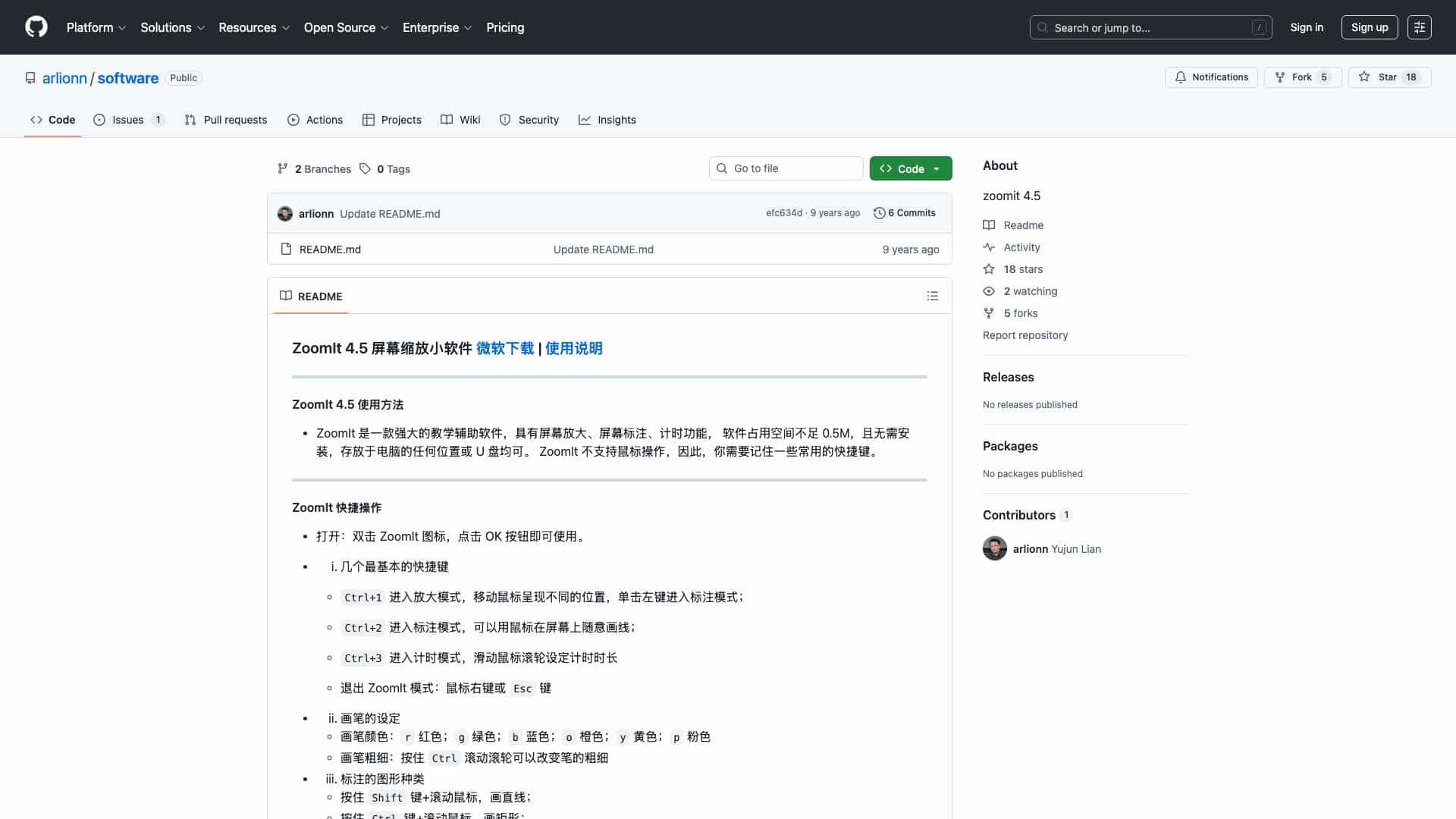
ZoomIt 4.5 is a powerful teaching aid software that provides screen magnification, annotation, and timer functions. It is portable, under 0.5MB, and does not require installation, making it suitable for use from any location or USB drive.
What is arlionn/software: zoomit 4.5 used for?
User Groups
Top Features
- Screen magnification
- Screen annotation
- Timer function
- Portable and no installation required
- Keyboard shortcut operation
How to use arlionn/software: zoomit 4.5?
Launch ZoomIt by double-clicking the icon and clicking OK. Use keyboard shortcuts: Ctrl+1 for zoom mode, Ctrl+2 for annotation mode, Ctrl+3 for timer mode. Exit with right-click or Esc. Customize brush colors and shapes with keys like r for red, Shift for lines, and Ctrl for rectangles.
Alternative Tools
No alternative tools found
Pros & Cons
Pros
- Lightweight and portable
- No installation needed
- Free to use
- Useful for teaching and presentations
Cons
- No mouse support, relies on keyboard shortcuts
- Limited to Windows platform
- Basic interface with no advanced features
Use Cases
- Classroom teaching and lectures
- Business presentations and training sessions
- Remote collaboration and screen sharing
User Reviews
3.0
out of 5
3.0
No reviews yet
Be the first to review this tool!