



CreativeMagicPanel
"CreativeMagicPanel simplifies photo retouching in Photoshop with 277 features, saving time for professionals and enthusiasts."
Score
60
User Rating
3.0
Free/Trial Support
Supported
Starting Price
--
Last Updated
Sep 08, 2026
Overview
What is CreativeMagicPanel?
CreativeMagicPanel offers Photoshop panels and plugins designed to supercharge creativity and speed up photo editing workflows. Their products, like Magic Touch Panel and Color Match Pro, provide numerous features, AI-driven tools, and unlimited photo edits with a one-time payment. These tools aim to simplify complex retouching tasks, allowing users to achieve professional results in seconds.
What is CreativeMagicPanel used for?
Tags
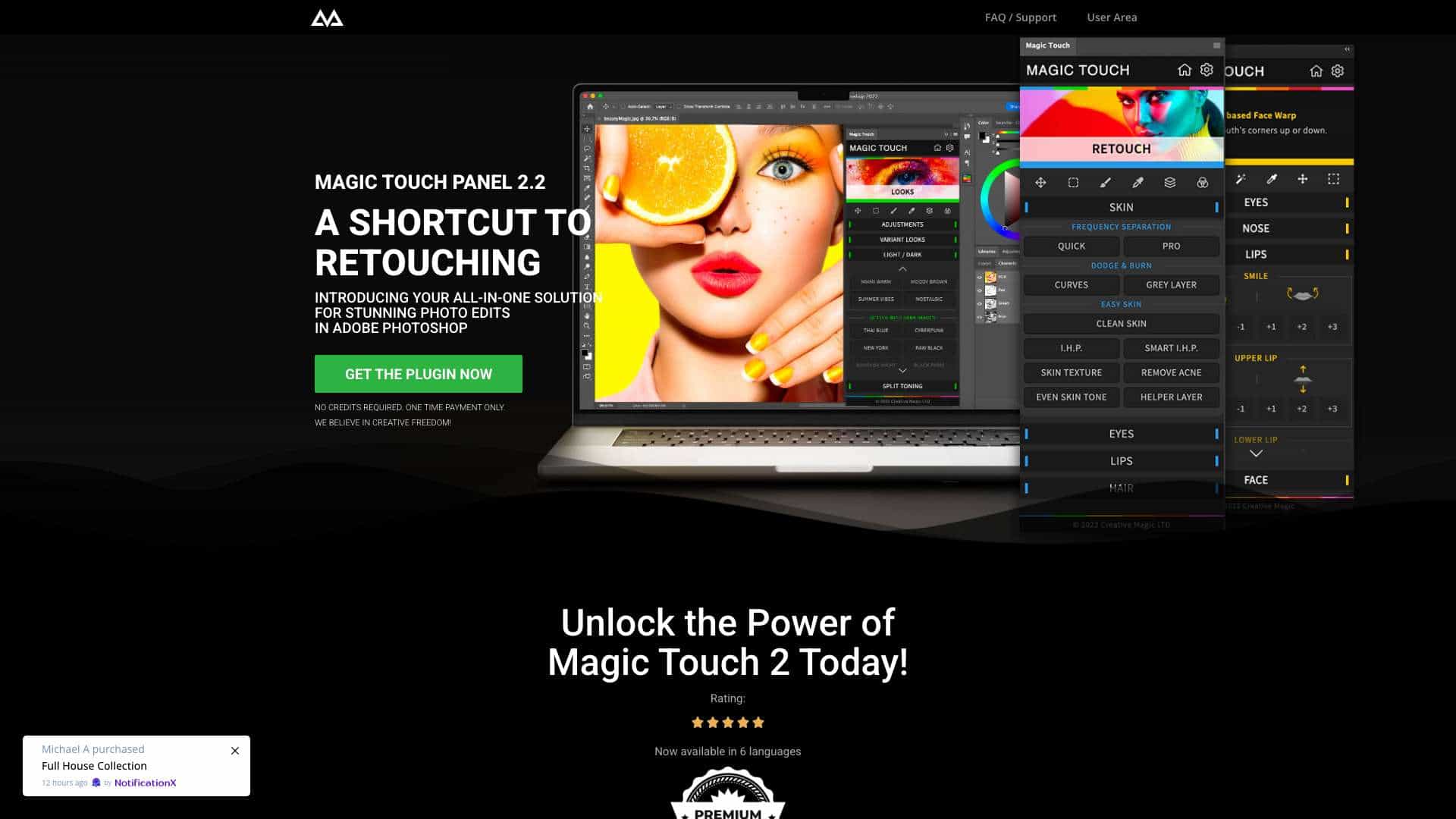
Top Features
- AI Face & Body Recognition
- Perfect Skin (Easy and Fast)
- Over 281 tools and features
- Retouch like a Pro in seconds
- Awesome looks ready to be applied with just one click
- Magic Intelligent settings
How to use CreativeMagicPanel?
Install the panel or plugin into Adobe Photoshop. Once installed, access the various features and tools directly within Photoshop to edit photos with one-click actions, AI-driven adjustments, and custom overlays.
Alternative Tools
No alternative tools found
Pros & Cons
No Data
Use Cases
- Retouching portraits
- Color grading images
- Enhancing skin
- Applying trendy looks and overlays
- Correcting image imperfections
- Matching colors between images
CreativeMagicPanel Pricing
Free PlanSubscription Plan
No detailed pricing information available
User Reviews
3.0
out of 5
3.0
No reviews yet
Be the first to review this tool!