


User Rating
1.0
Score
60
Free/Trial Support
Supported
Features
5 Features
Last Updated
Feb 05, 2026
What is GPTweet?
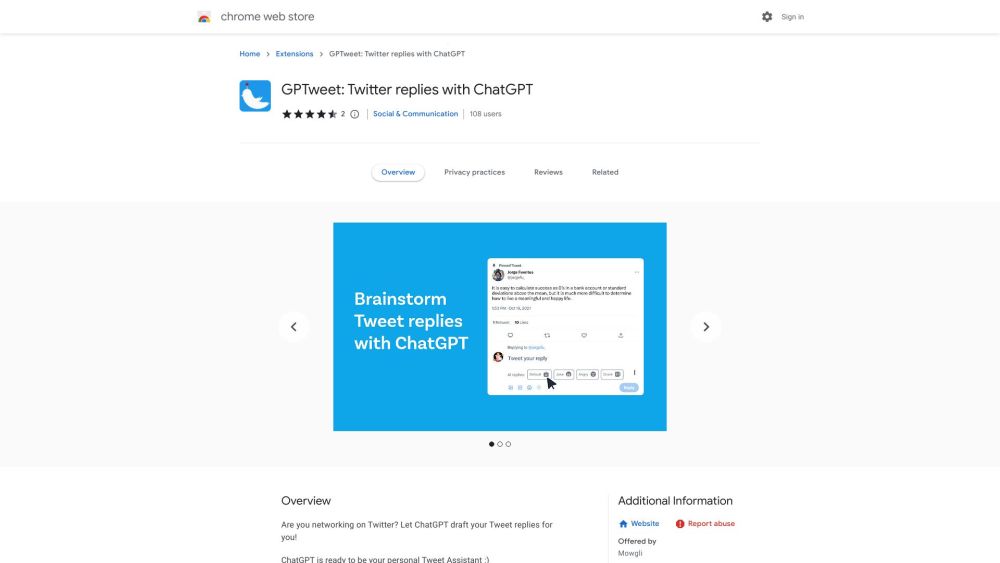
GPTweet is a free Chrome extension that allows users to leverage ChatGPT to draft replies to tweets on Twitter. It adds a button to each tweet, enabling users to copy a ChatGPT-generated reply to their clipboard. Users must provide their own OpenAI API key, and no sign-up is required. GPTweet aims to assist users in networking on Twitter by providing AI-generated reply suggestions.
How to use GPTweet?
Install the GPTweet Chrome extension. Add your OpenAI API key. Click the GPTweet button on any tweet to generate a reply. The AI buttons are located in the reply writing area. Proofread and edit the generated reply before posting.
Top Features
- ChatGPT-powered tweet reply generation
- No sign-up required
- Uses user's own OpenAI API key
- Local storage of API key
Pros & Cons
No Data
Use Cases
- Drafting replies to tweets for networking
- Generating initial drafts of Twitter replies
User Groups
No Data
GPTweet Pricing
Free PlanSubscription Plan
No detailed pricing information available


Cover Preview
GPTWEET Features
- AI Response Generator functionalityAI Response Generator
- AI Assistant functionalityAI Assistant
- AI Reply functionalityAI Reply
- AI Twitter functionalityAI Twitter
- AI Tweet Generator functionalityAI Tweet Generator