Toolidx
Best Tools (By Scenario)
Best Tools (By Role)
  • Home
  • All Categories
  • Top Tools
Toolidx

Join our newsletter

Get the latest updates on new tools and in-depth comparisons delivered to your inbox.

AI Tool Deck Logo

On a mission to help you work smarter with the right tools. Helping you to choose the right tools for your job, your company & your needs with over 10+ years experience.

Company

  • About
  • Contact
  • Terms of Use
  • Privacy Policy

Top Reads

  • Best Project Management Tools
  • Best AI Daily Planning Software
  • Best AI Meeting Tools
  • Best CRM Software for Teams
  • Best AI Note-Taking Software
  • Best AI Email Management Tools
  • Best Productivity Tools for ADHD

Featured Tool

Notion

Notion

All-in-one workspace for notes, docs, wikis, projects, and collaboration. Perfect for teams and individuals.

Sponsored

© 2026 Tool IDX. All rights reserved.

Back to Home|Home即时原型
即时原型

即时原型

A real-time collaborative prototyping platform for product design, offering cloud-based components, interactive effects, and seamless team editing.

Visit Website
Score
50
User Rating
3.0
Free/Trial Support
Supported
Starting Price
--
Last Updated
Apr 23, 2026
OverviewTop featuresHow to usePros & consWho usesUse casesPricingAlternative toolsUser reviews0

Overview

What is 即时原型?

Instant Prototype is a cloud-based tool for designing product prototypes with real-time collaboration, high-quality templates, and interactive components to streamline from ideation to documentation.
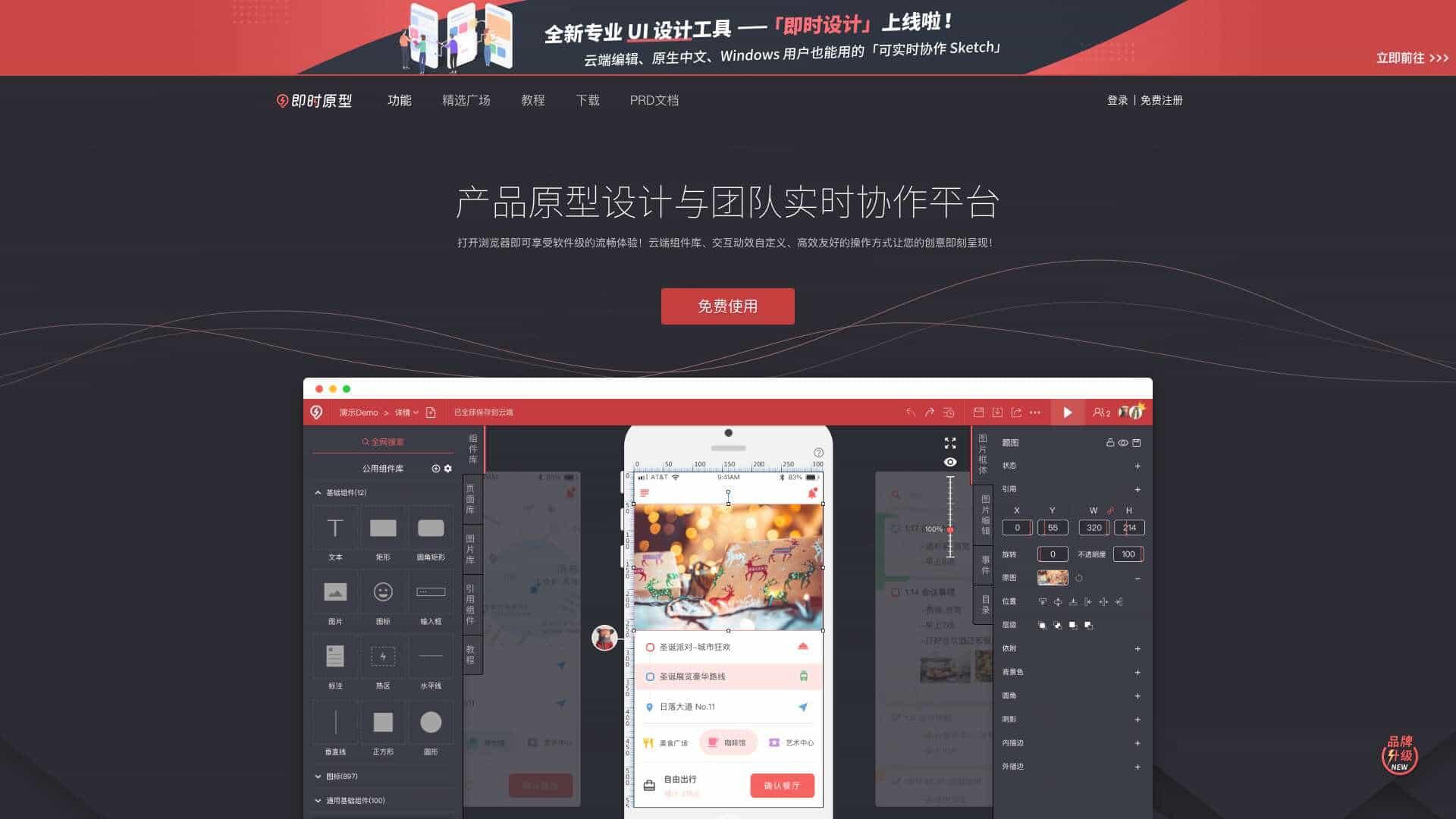
What is 即时原型 used for?

Prototype
即时原型 cover

Top Features

  • Real-time collaboration
  • Cloud component library
  • Interactive animations
  • High-quality templates
  • Smart content filling
  • Product documentation mode

How to use 即时原型?

Open in a browser, register for free, use templates or start from scratch, collaborate with team members in real-time, and share prototypes instantly.

Alternative Tools

Figma
Figma
Similar tool
95.0
Pixso
Pixso
Similar tool
80.0
Axure
Axure
Similar tool
80.0
墨刀
墨刀
Similar tool
70.0
Quant-UX
Quant-UX
Similar tool
70.0
InVision
InVision
Similar tool
70.0

Pros & Cons

Pros

  • Free to use
  • Browser-based with no installation
  • Millisecond-level saving and sharing
  • Supports multiple project types

Cons

  • Requires internet connection
  • Limited offline functionality

Who Uses 即时原型

Top industries

Based on 137 reviews

Product Design

  • Product Design
  • Software Development
  • Consulting
  • Education

Top user groups

Based on 137 reviews

Design Teams

  • Design Teams
  • Product Teams
  • Startups

Frequency of use

Based on 137 reviews

Use this tool Daily 55%

55%
  • Daily55%
  • Weekly26%
  • Monthly19%

Top roles

Based on 137 reviews

  • Designer
    92%
  • Developer
    83%
  • Product Manager
    62%
  • Team Lead
    50%

Company size

Based on 137 reviews

Use Cases

  • Product design prototyping
  • Team collaboration on UI/UX
  • Creating PRD documents
  • Mobile and web project mockups

即时原型 Pricing

Free PlanSubscription Plan
No detailed pricing information available

User Reviews

3.0
out of 5
3.0

No reviews yet

Be the first to review this tool!