


Text2Audio
Easily convert text into natural-sounding audio with Text2Audio's free online TTS tool.
User Rating
3.0
Score
60
Free/Trial Support
Supported
Features
3 Features
Last Updated
Feb 05, 2026
What is Text2Audio?
Text2Audio generates MP3 audio files from text and offers the option to either download them or play them directly in your web browser. It utilizes Google's text-to-speech API. Users can enter or paste text, and the tool will read it aloud. Initially developed as a personal tool for TikTok videos, it's now used by thousands for various applications.
How to use Text2Audio?
Enter or paste text into the text box, select a language, optionally split the text into smaller paragraphs, and then perform the conversion to generate an audio file.
Top Features
- Text-to-speech conversion
- MP3 audio file generation
- Language selection
- Adjustable speed and volume
- Option to split long text into smaller paragraphs
Pros & Cons
No Data
Use Cases
- Providing text-to-speech functionality for individuals with visual impairments
- Developing interactive story applications with narrated text
- Assisting users in learning correct pronunciation in different languages
- Turning written notes into spoken messages
- Creating instructional videos for training purposes
User Groups
No Data
Text2Audio Pricing
Free PlanSubscription Plan
No detailed pricing information available


Cover Preview
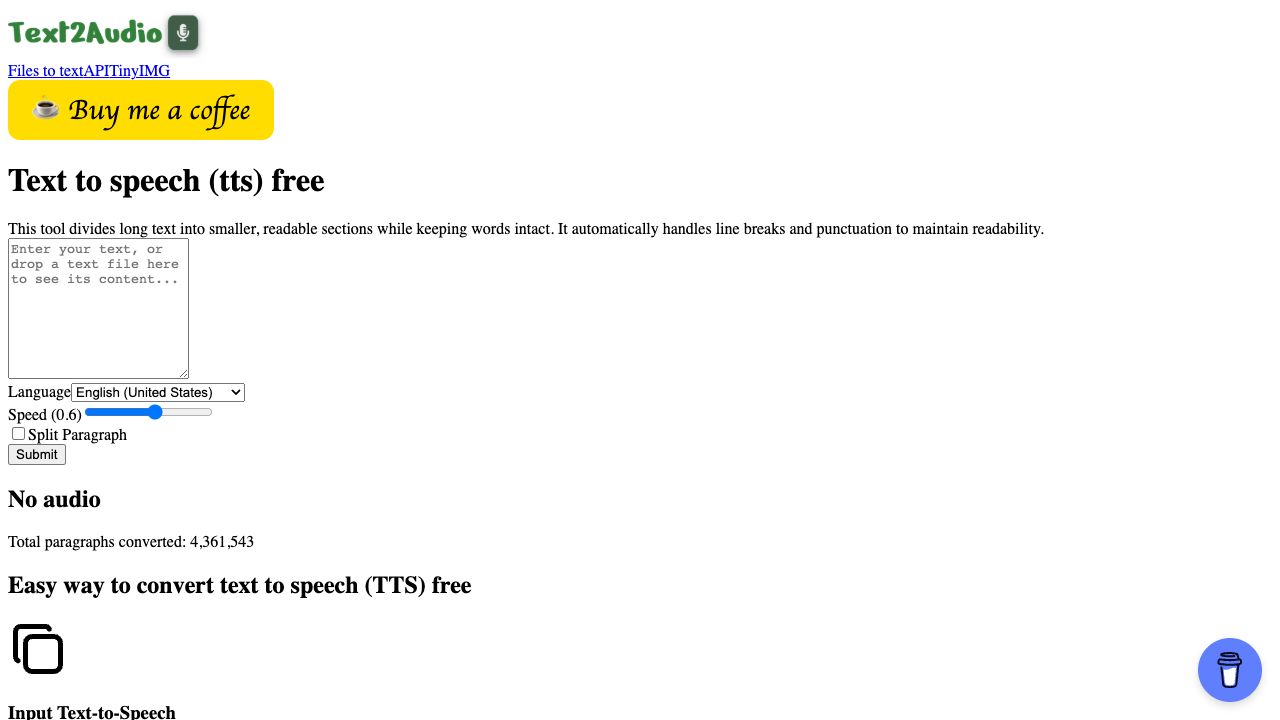
TEXT2AUDIO Features
- AI Speech Synthesis functionalityAI Speech Synthesis
- AI API functionalityAI API
- AI Text-to-Speech functionalityAI Text-to-Speech