


What is RemoveHandwriting?
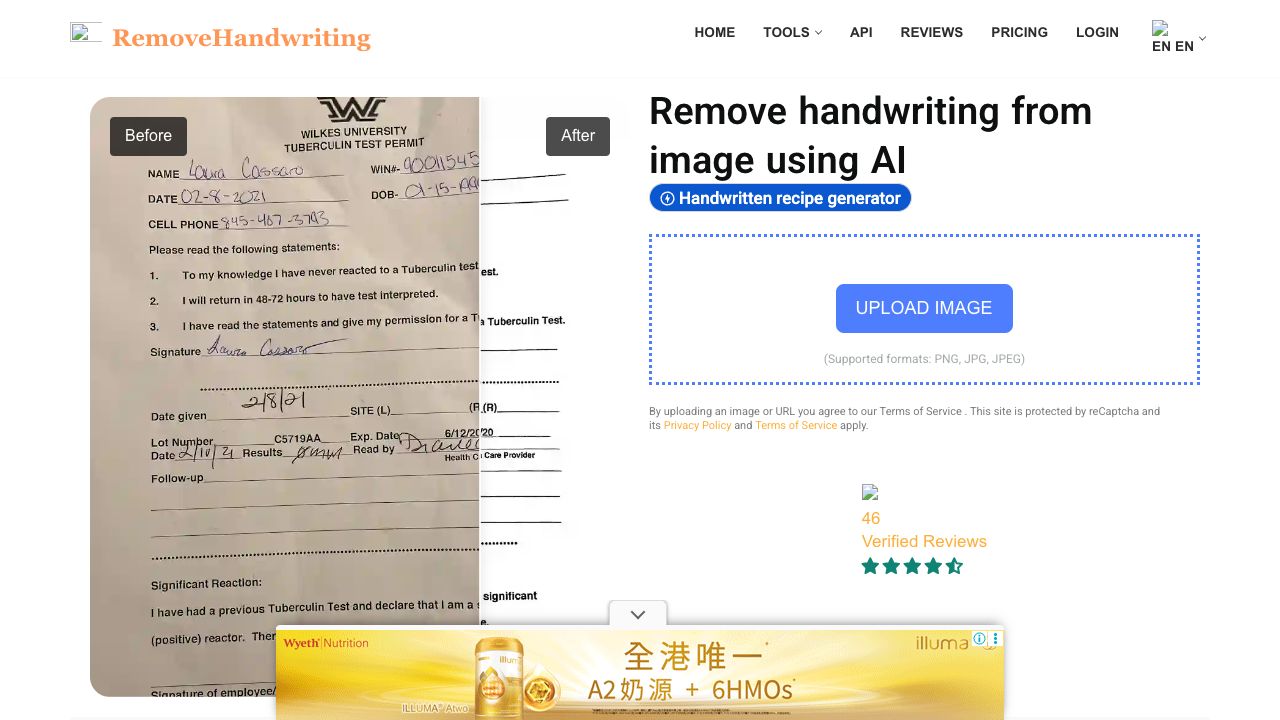
Removehandwriting.com is an AI tool website that offers free tools allowing you to erase handwritten marks from images. It also has the capability to perform graphic correction on images, automatically trim documents, remove stains or obscured portions, enhance visibility in shadowed areas, and restore an aged document image to a pristine condition. It corrects document image problems like curling, shadows, wrinkles, stains, obstructed text, and moiré patterns. Removes handwriting from images and PDFs using advanced imaging tech. Straightens and flattens documents for pristine results.
How to use RemoveHandwriting?
Take a photo of your document with handwriting, upload it to removehandwriting.com, and the AI will automatically recognize and remove the handwritten marks. Within a few seconds, you will receive an image without any handwriting. Afterward, you can proceed to download and print it. For PDFs, convert the PDF document into images first, and then upload the images.
Top Features
- Handwriting removal from images and PDFs
- Document straightening and flattening
- Image correction (curling, shadows, wrinkles, stains, moiré patterns)
- Automatic document trimming
- Stain and obscurity removal
- Shadow enhancement
- Old document restoration
Pros & Cons
No Data
Use Cases
- Students erasing handwriting from classmate's test paper images.
- Businesses removing incorrect handwritten content from documents for rewriting.
- Document management: showcasing old documents without revealing handwritten content.
User Groups
No Data
RemoveHandwriting Pricing


Cover Preview
REMOVEHANDWRITING Features
- AI Image Enhancer functionalityAI Image Enhancer
- AI Photo Restoration functionalityAI Photo Restoration
- Object Remover AI functionalityObject Remover AI
- AI Eraser functionalityAI Eraser