


User Rating
5.0
Score
95
Free/Trial Support
Not Supported
Features
4 Features
Last Updated
Feb 04, 2026
What is Google Gemini?
Google Gemini is Google’s most capable and versatile family of artificial intelligence models. Unlike traditional chatbots that only process text, Gemini is natively multimodal, meaning it was built from the ground up to understand, operate across, and combine different types of information, including text, images, audio, video, and code.
How to use Google Gemini?
Users can interact with Gemini by signing in to save their chats. It can be prompted to help with various tasks such as writing, researching a topic, explaining something, or creating content like a landing page. It also supports microphone input for interaction.
Top Features
- Massive Context Window: Gemini Advanced can "read" and remember thousands of lines of code or massive PDF documents in a single session.
- Gemini Live: A conversational voice mode that allows you to have a natural, back-and-forth dialogue. You can interrupt the AI, ask follow-up questions, and even use your camera to show Gemini what you are looking at.
- Deep Research: A specialized tool that combs through hundreds of online sources to create comprehensive, cited reports on complex topics.
- Google App Extensions: Gemini can "talk" to other Google apps. For example, you can ask, "Find the flight details from my Gmail and add a hotel search in Maps near the airport."
- Multimodal Input/Output: You can upload a photo of a broken bike part and ask how to fix it, or ask Gemini to generate an image or a short video clip (via Veo) from a text description.
Pros & Cons
Pros
- Seamless Google Ecosystem Integration: Gemini can directly access and interact with your Gmail, Google Docs, Drive, and Maps. It can summarize your emails, find files, and even draft documents directly in Workspace.
- Industry-Leading Context Window: In its Advanced/Pro versions, Gemini can process up to 1 million tokens (roughly 1,500 pages of text). This makes it superior for analyzing massive PDFs, long videos, or entire code repositories in one go.
- Real-Time Information: Because it is powered by Google Search, Gemini is exceptionally fast at providing up-to-date information, news, and live data (like flight prices or sports scores).
- Advanced Multimodality: Unlike some models that use "plugins" for different tasks, Gemini is natively multimodal. It can understand and reason across text, high-resolution images, audio, and video simultaneously.
- Gemini Live (Voice Interaction): The "Live" mode offers a very fluid, human-like conversational experience that is great for hands-free brainstorming or language practice.
Cons
- "Ecosystem Lock-in": To get the most out of Gemini, you really need to be a Google user. Its performance is significantly more limited if you don't use Google Workspace or Android.
- Hallucinations & Accuracy: While it has improved, Gemini still occasionally "hallucinates" (presents false info as fact), particularly when summarizing complex news or technical data.
- Privacy Concerns: Because it integrates so deeply with your personal data (emails, files, location), some users feel uncomfortable with the level of data collection required for its best features.
- Formal/Assistant Tone: Some users find Gemini's writing style to be more "corporate" or "sanitized" compared to ChatGPT, which is often cited as being more creative or having a better "personality."
- Coding & Logic Gaps: While strong, some developers still prefer specialized models (like Claude or GPT-o1) for deep, multi-step logical reasoning and complex debugging.
Use Cases
- Productivity: Summarizing long email threads, drafting project plans, and creating meeting agendas.
- Learning Generating practice quizzes, explaining complex scientific concepts with diagrams, and translating languages in real-time.
- Coding: Writing boilerplate code, debugging errors from a screenshot, and explaining legacy codebases.
- Creative: Generating AI images for presentations, brainstorming social media captions, and editing video clips.
- Personal Life: Planning travel itineraries based on real-time flight data and organizing meal plans from a photo of your fridge.
User Groups
No Data


Cover Preview
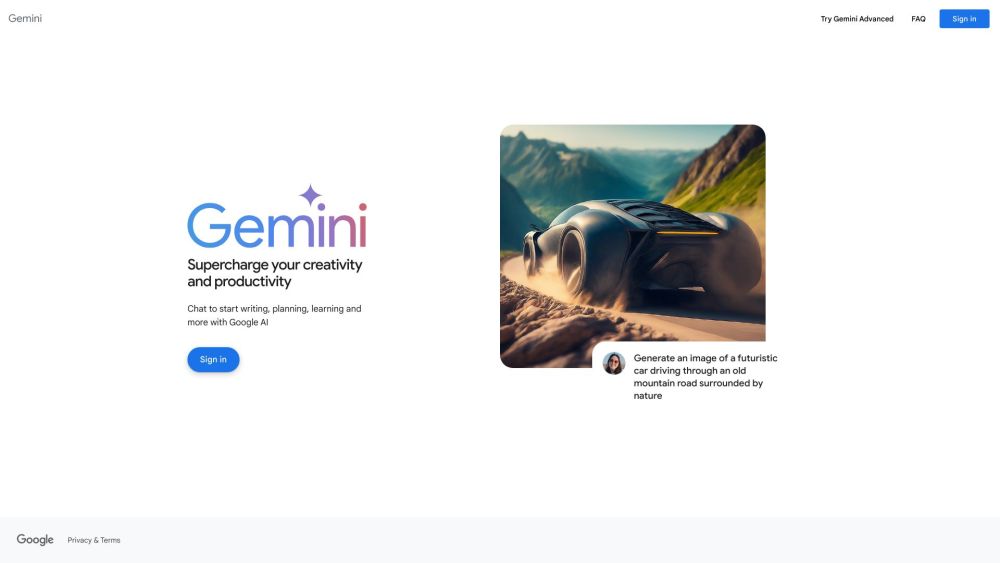
GOOGLE GEMINI Features
- AI Chatbot functionalityAI Chatbot
- Large Language Models (LLMs) functionalityLarge Language Models (LLMs)
- AI Assistant functionalityAI Assistant
- AI Models functionalityAI Models