


CloudStudio
AI-enabled video editor for professional videos.
User Rating
1.0
Score
60
Free/Trial Support
Supported
Features
8 Features
Last Updated
Jan 30, 2026
What is CloudStudio?
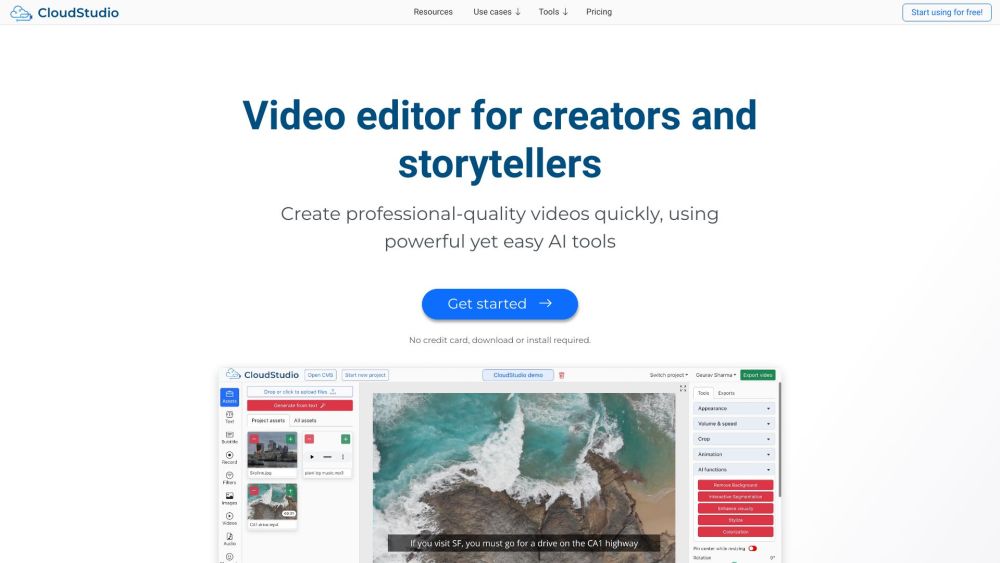
CloudStudio is a web-based and AI-enabled video editor. It provides powerful tools for quickly making professional videos for education, marketing, sales, training, and personal use. It also has a powerful long to short form viral clips generator.
How to use CloudStudio?
Use CloudStudio for free on desktop. Edit in your browser with intuitive controls. Run state-of-the-art AI and export on the cloud. You can download the final videos or share a link.
Top Features
- AI-powered video editing tools
- Long to short form viral clips generator
- Automatic subtitles
- Background removal
- Text to image generation
- Speech denoising
- Interactive Segmentation
- Style transfer
- Screen recording
- Stock assets library
- Built-in collaboration features
Pros & Cons
No Data
Use Cases
- Creating social media videos
- Making training videos
- Producing marketing videos
- Generating explainer videos
- Creating documentation videos
- Producing product videos
- Making real estate videos
- Creating sales videos
- Generating auto subtitles for videos
User Groups
No Data
CloudStudio Pricing
Free PlanSubscription Plan
No detailed pricing information available


Cover Preview
CLOUDSTUDIO Features
- Text to Image functionalityText to Image
- AI Background Remover functionalityAI Background Remover
- AI Image Segmentation functionalityAI Image Segmentation
- AI Video Editor functionalityAI Video Editor
- AI Noise Cancellation functionalityAI Noise Cancellation
- AI Image Generator functionalityAI Image Generator
- AI Subtitle Generator functionalityAI Subtitle Generator
- AI Style Transfer functionalityAI Style Transfer