


User Rating
3.0
Score
60
Free/Trial Support
Supported
Features
3 Features
Last Updated
Feb 05, 2026
What is AutoCropper?
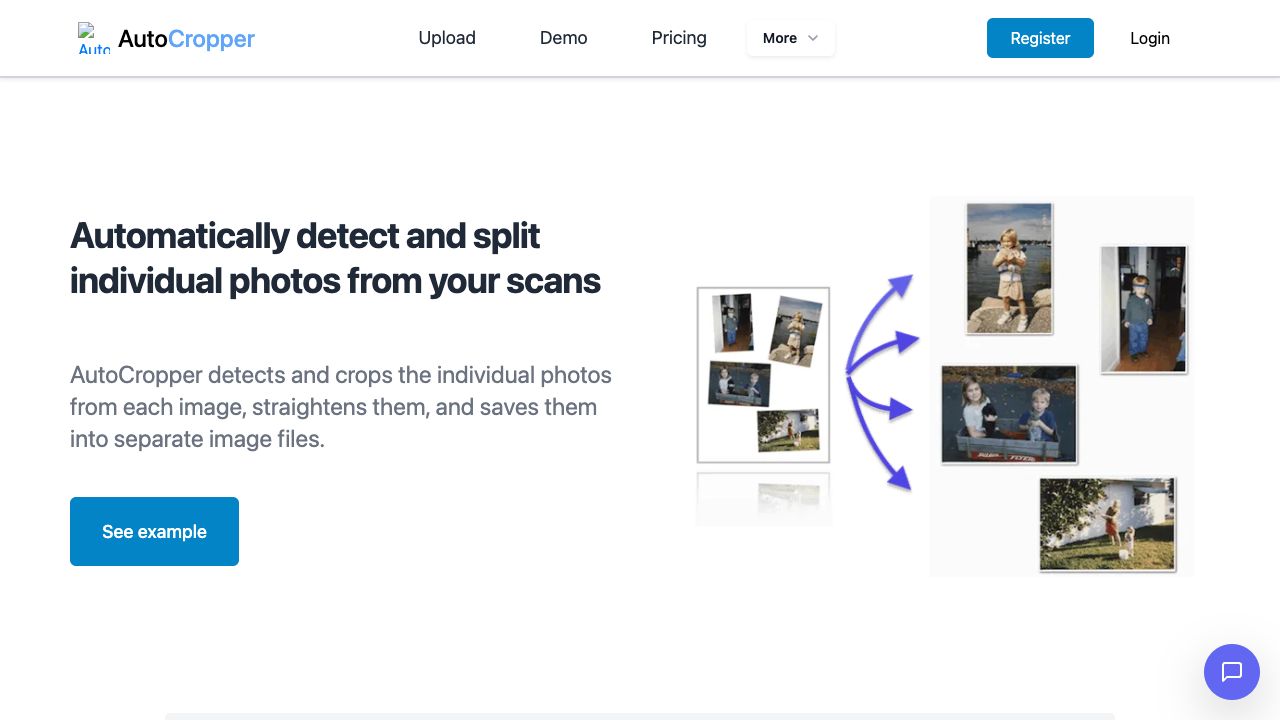
AutoCropper is an AI-powered online tool designed to batch crop multiple scanned photos into separate images. It automatically detects and splits individual photos from scans, straightens them, and saves them into separate image files. It supports batch cropping of multiple images at once, automatic rotation detection and correction, and full-quality upload and download with no compression.
How to use AutoCropper?
Upload multiple scanned images to AutoCropper. The tool automatically detects and crops individual photos, straightens them, and allows you to download them as separate files. Refine crop areas using the advanced editor if needed.
Top Features
- Automatic photo detection and cropping
- Batch processing of multiple scans
- Automatic rotation detection and correction
- Full quality upload and download with no compression
- Customizable file naming structure
Pros & Cons
No Data
Use Cases
- Splitting multiple scanned photos into individual images
- Digitizing photo collections quickly and efficiently
- Preparing images for online sales or archival purposes
User Groups
No Data
AutoCropper Pricing
Free PlanSubscription Plan
No detailed pricing information available


Cover Preview
AUTOCROPPER Features
- AI Image Recognition functionalityAI Image Recognition
- AI Crop Image functionalityAI Crop Image
- AI Splitter functionalityAI Splitter